Docs
UI & Controls
The Ardor screen is made for playing. Choose a preset with your foot, change a sound on the touch display, and follow the chain from left to right.
Preset screen
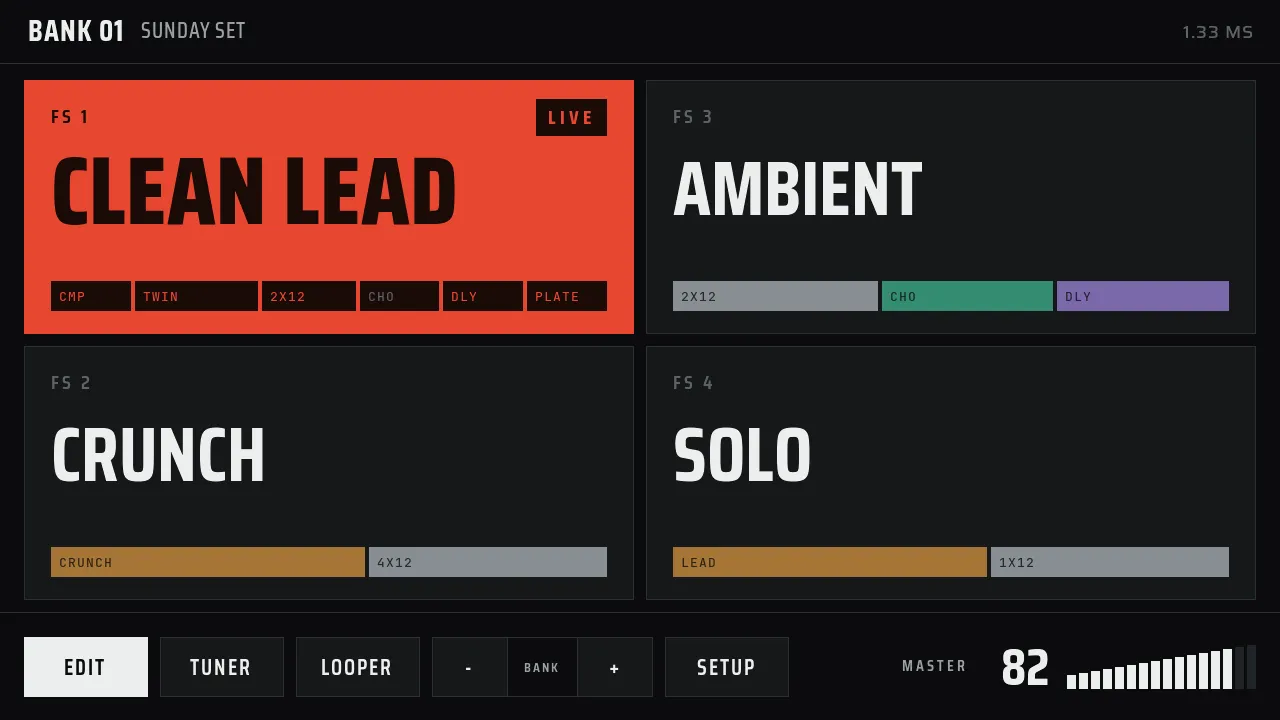
The header shows the bank number and name. Each tile shows its footswitch, the preset name, and its chain in family colors. The live preset fills with red. The controls at the bottom are:
- Edit opens the chain editor for the live preset.
- Tuner opens the chromatic tuner.
- Looper opens the four-track looper.
- Bank − and Bank + move to the previous or next bank.
- Setup opens the settings: appearance, Wi-Fi, audio, controls, and updates.
- Master shows the output volume. Turn the encoder to change it.
Edit a sound
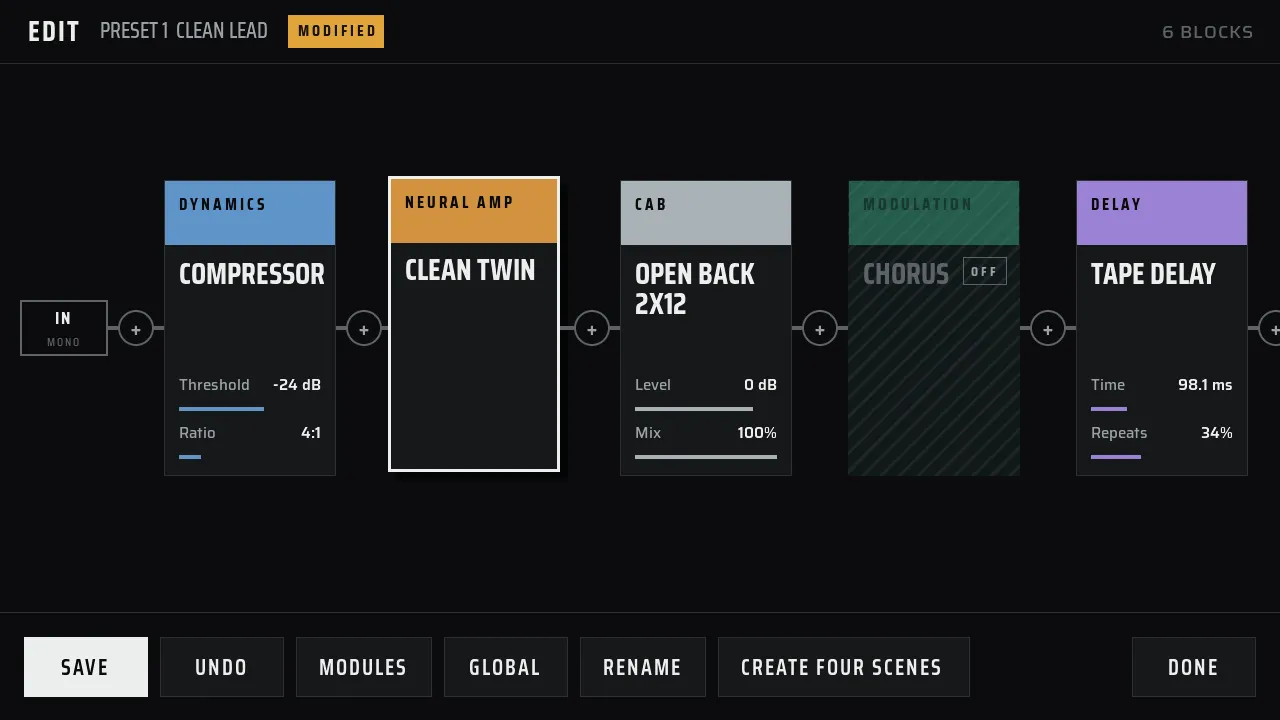
The editor shows the signal from left to right. Your guitar enters at the left. Each effect appears in the order that it runs. The output is at the right. Scroll the canvas sideways when a chain is longer than the screen.
- Tap + between two blocks to add an effect.
- Tap a block to open its controls.
- Drag a block to change its place in the chain.
- Tap Modules, then use the family buttons to find amps, cabinets, drives, delays, reverbs, and other blocks.
- Tap Save when you want to keep the change. Tap Undo to go back one step.
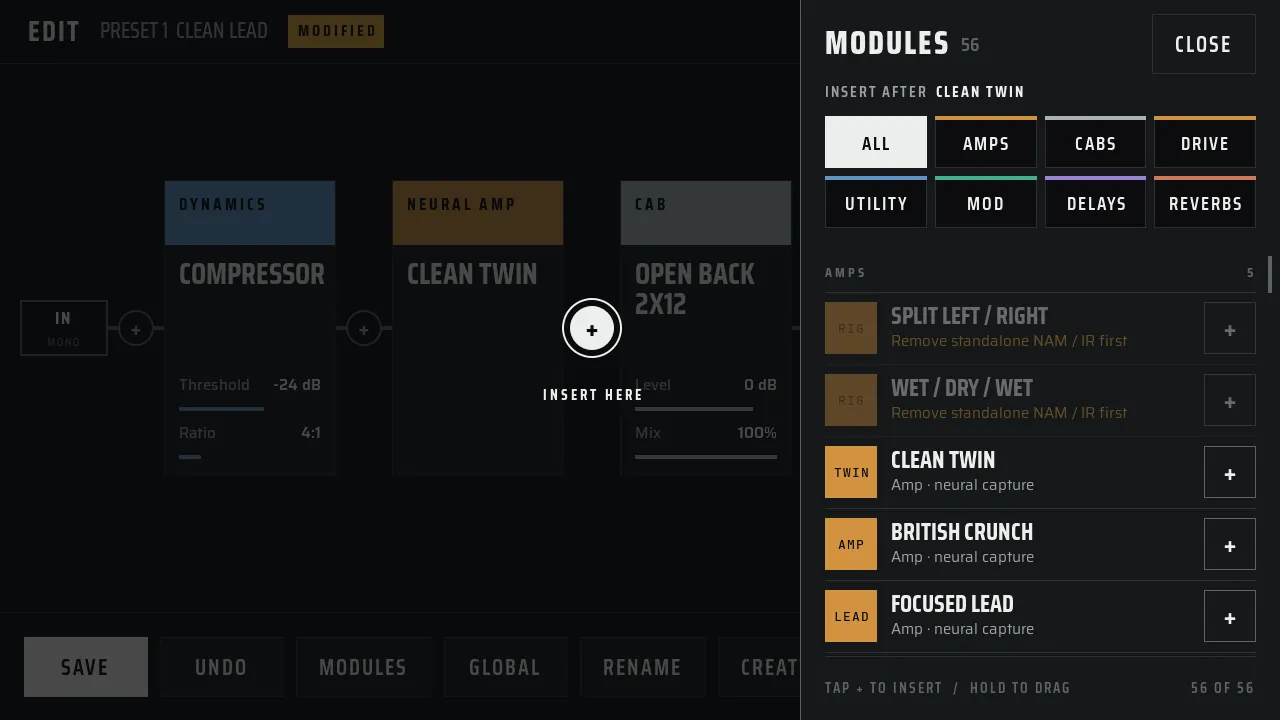
Choose Split Left / Right in the Modules drawer when you want two lanes. See Dual Rig & Dual Amp for the two-lane layout.
Change effect controls
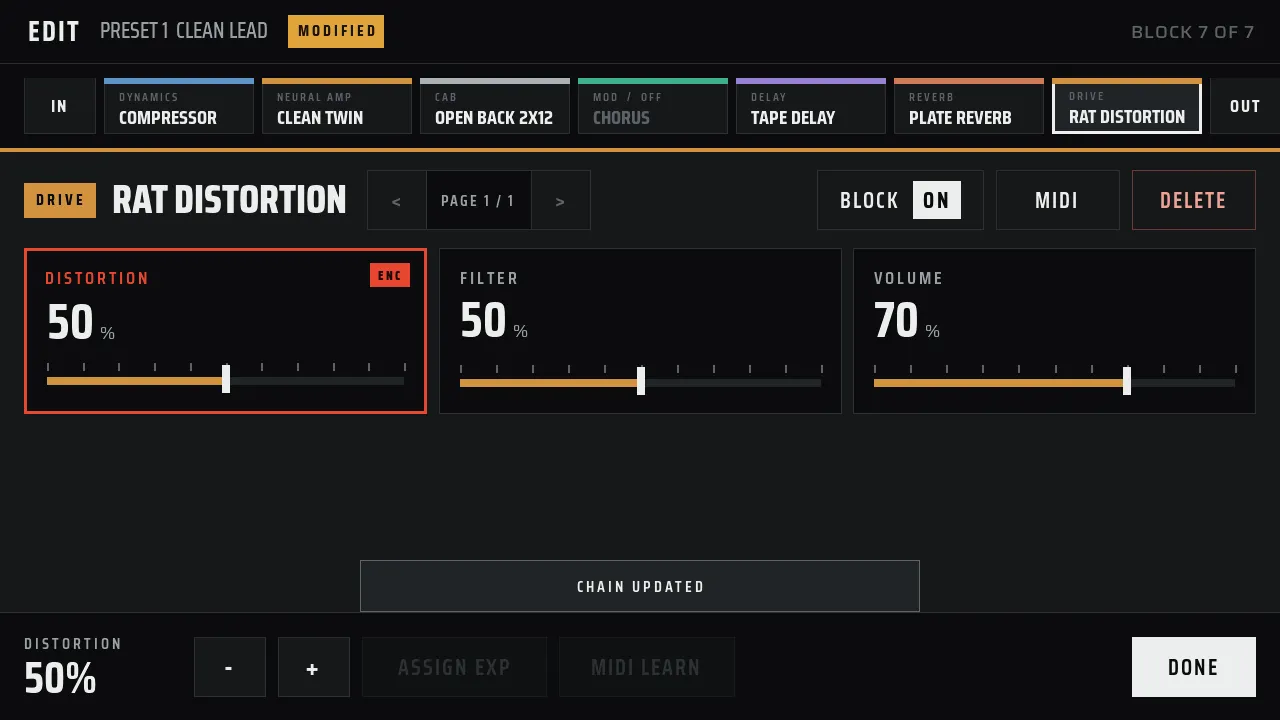
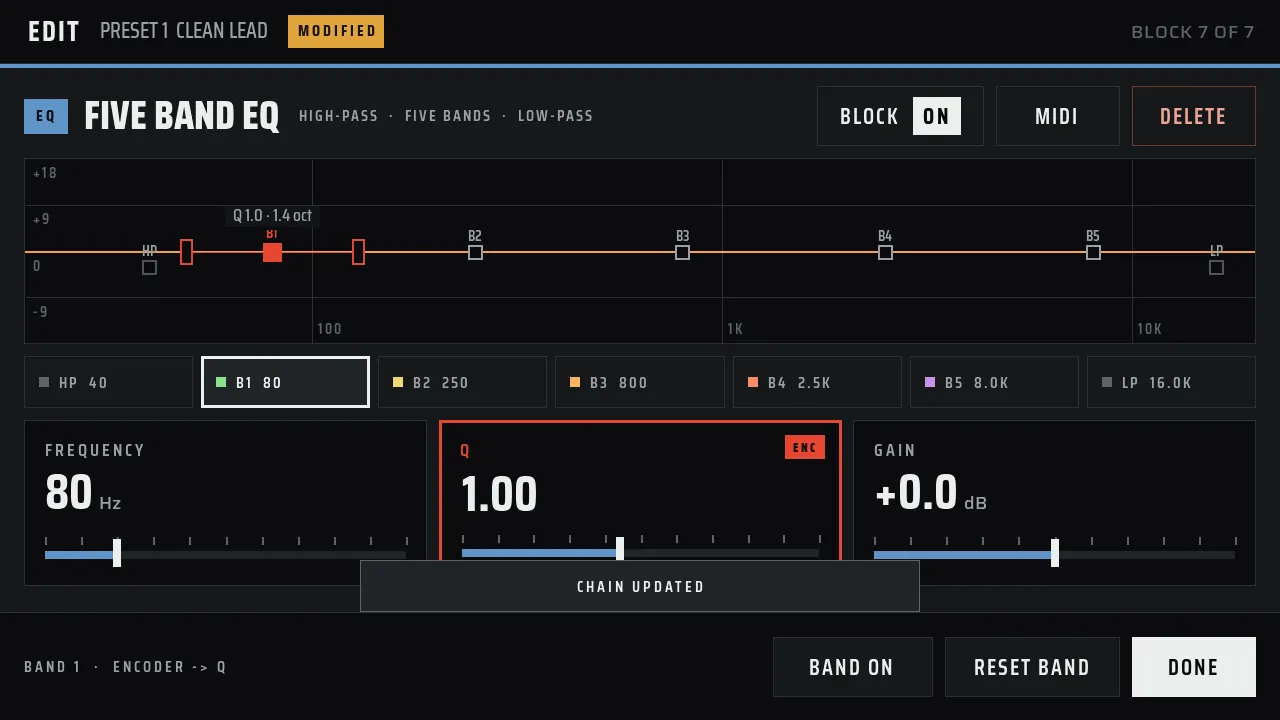
Each block shows its controls as large sliders with the name and the value. Drag a slider, or turn the encoder to change the control with the ENC mark. Use −and + for fine steps. Tap Block On to bypass the block and hear the sound without it.
Tuner
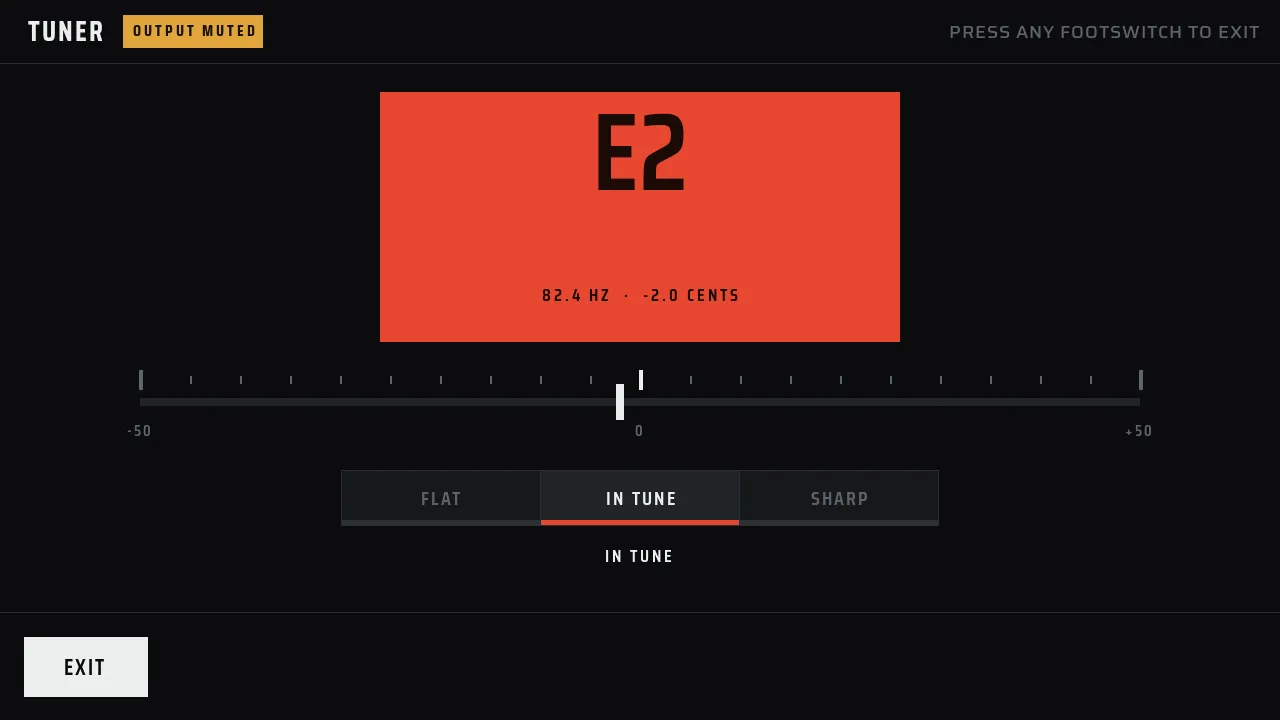
The tuner shows the note, frequency, and whether the note is flat or sharp. It mutes the output while it is open. Tap the on-screen exit button, or press any footswitch, to leave the tuner.
Footswitches and encoder
| Control | Action |
|---|---|
| Footswitch 1 to 4 | Choose preset slot 1 to 4 in the active bank. |
| Encoder | Change the master output volume. |
| Hold FS1 + FS2 | Hold for one second to mute and open the tuner. |
| Any footswitch | Leave the tuner without changing the preset. |
If you change the preset or bank with unsaved edits, Ardor asks whether to Save,Discard, or Cancel. Your draft does not disappear without a choice.
You can also control presets and effect parameters with MIDI or an expression pedal. See the Hardware guide for the optional connections.